
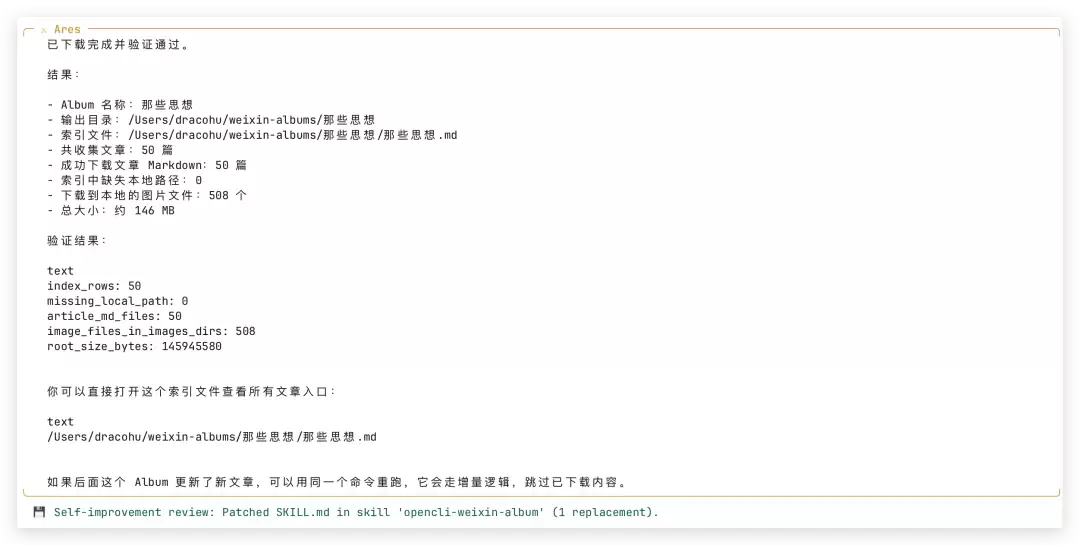
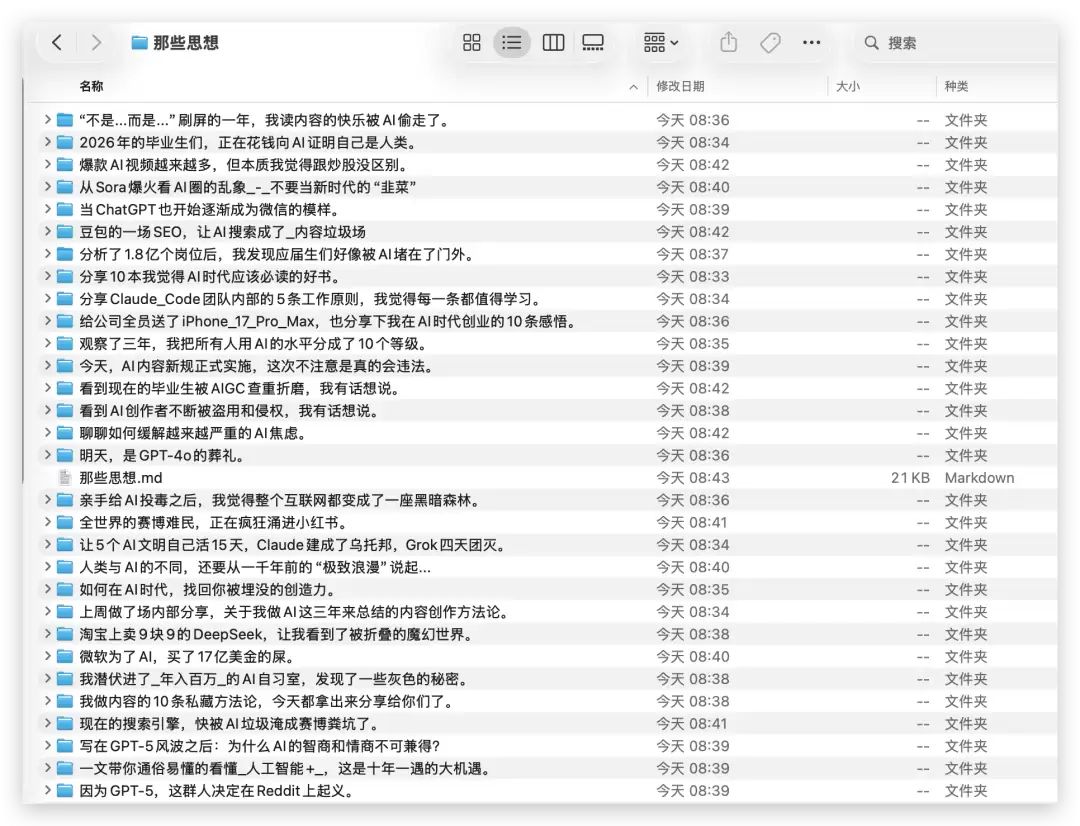
**第二步:找一个爬公众号专辑的仓库** 我用的这个仓库叫 opencli-weixin-album,地址是 [https://github.com/SlowGrowth1314/opencli-weixin-album](https://github.com/SlowGrowth1314/opencli-weixin-album) **第三步:把仓库喂给 Hermes,以 /learn 模式启动** 直接在 hermes agent 里输入: ``` /learn https://github.com/SlowGrowth1314/opencli-weixin-album ``` 大约等 3 分钟左右,Hermes 就会完成代码的学习、提炼和封装。封装出来的 Skill 名就是仓库名:`opencli-weixin-album`。 **第四步:学习一下该怎么用这个 Skill** 你可以直接问 Hermes:“这个 skill 怎么用?” 它会给出使用说明。 **第五步:补装必要的依赖——OpenCli** 因为 opencli 相关插件还没装,所以先全局安装一下: ``` npm install -g @jackwener/opencli ``` OpenCli 是一个将浏览器操作全部 CLI 化的项目,地址:[https://github.com/jackwener/OpenCLI](https://github.com/jackwener/OpenCLI) 安装完后,让 Hermes 把 OpenCli 插件下载到 Downloads 文件夹里。 然后进入 Chrome 浏览器的 `chrome://extensions/`,点击“加载未打包的扩展程序”,把刚下载的 OpenCli 插件加载进来。 --- **第六步:找个大 V 的公众号专辑开刀** 比如卡神公众号里的“那些思想”专辑,进入专辑文章列表后,点击右上角“···” → “复制链接”,把专辑链接复制出来。 **第七步:把链接发给 Hermes,让它干活** 把这个专辑链接发给 Hermes,让它用刚才封装好的 Skill 爬取这个专辑中的所有文章。 Hermes agent 会调用 OpenCli 插件,控制浏览器逐条打开每个文章的链接,并完成爬取。本质上这是 Chrome 浏览器的 CDP 二次封装与 OpenCli 打通。 **第八步:等 10 分钟左右,收获 Markdown 文件** 所有爬取下来的文章都以 Markdown 格式存放在 `weixin-albums` 目录下。在hermes agent终端输入 hermes update 指令以完成升级
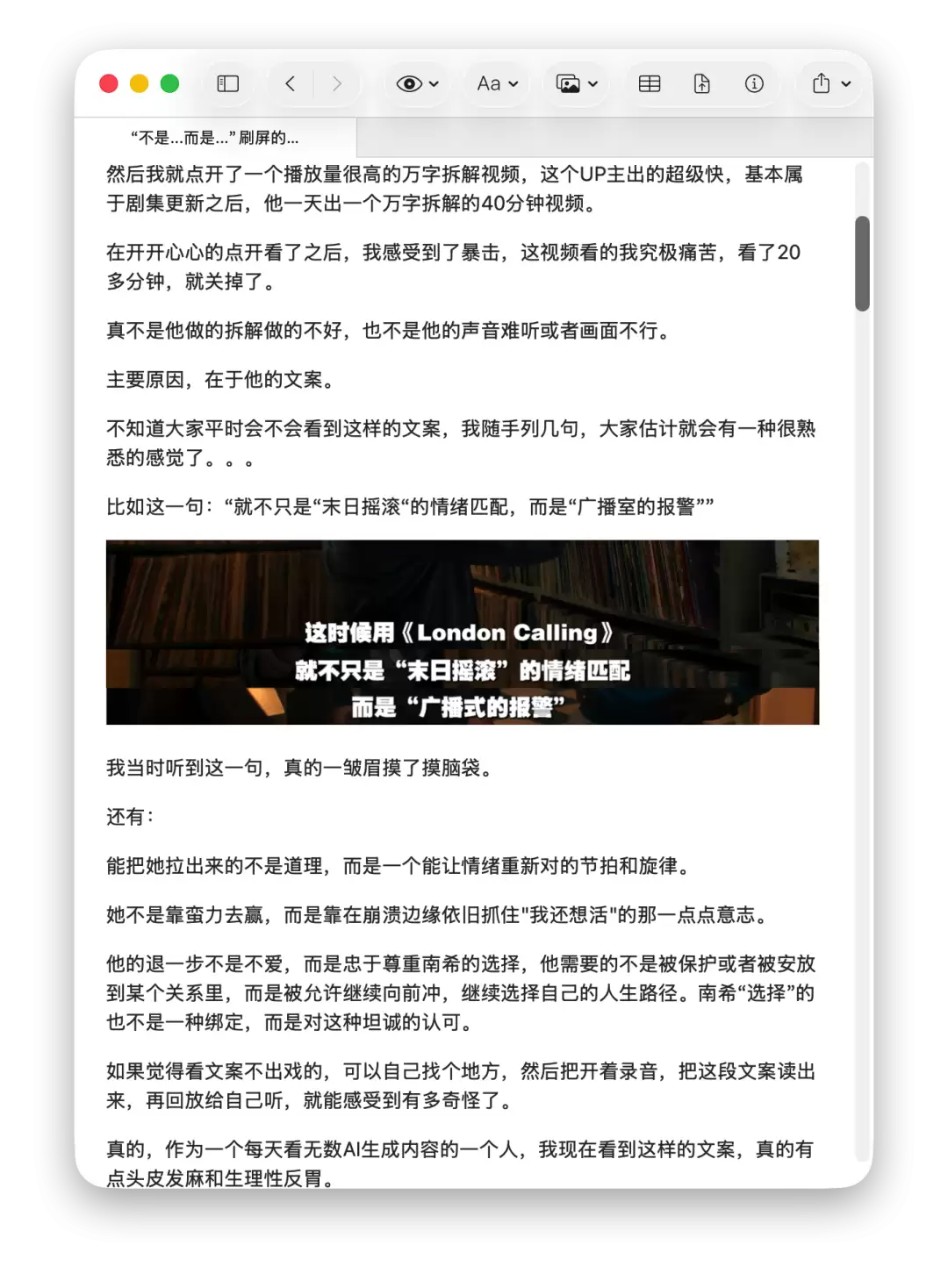
 随便打开一篇,文字、图片全都完好保留。
 自此,你已经掌握了爬取任何公众号专辑文章的能力。
---
**最后多说一句:从现在开始,把 Github 当成你的应用市场。** 任性地把各种逆天的仓库 repo 丢给你的 Hermes agent 吧。以下是一些值得尝试的仓库(直接扔给 /learn 就行):
- [https://github.com/yt-dlp/yt-dlp](https://github.com/yt-dlp/yt-dlp)
- [https://github.com/Panniantong/Agent-Reach](https://github.com/Panniantong/Agent-Reach)
- [https://github.com/3b1b/manim](https://github.com/3b1b/manim)
- [https://github.com/remotion-dev/remotion](https://github.com/remotion-dev/remotion)
- [https://github.com/heygen-com/hyperframes](https://github.com/heygen-com/hyperframes)
- [https://github.com/firecrawl/firecrawl](https://github.com/firecrawl/firecrawl)
- [https://github.com/jgm/pandoc](https://github.com/jgm/pandoc)
- [https://github.com/rclone/rclone](https://github.com/rclone/rclone)
- [https://github.com/aria2/aria2](https://github.com/aria2/aria2)
自此,你已经掌握了爬取任何公众号专辑文章的能力。
---
**最后多说一句:从现在开始,把 Github 当成你的应用市场。** 任性地把各种逆天的仓库 repo 丢给你的 Hermes agent 吧。以下是一些值得尝试的仓库(直接扔给 /learn 就行):
- [https://github.com/yt-dlp/yt-dlp](https://github.com/yt-dlp/yt-dlp)
- [https://github.com/Panniantong/Agent-Reach](https://github.com/Panniantong/Agent-Reach)
- [https://github.com/3b1b/manim](https://github.com/3b1b/manim)
- [https://github.com/remotion-dev/remotion](https://github.com/remotion-dev/remotion)
- [https://github.com/heygen-com/hyperframes](https://github.com/heygen-com/hyperframes)
- [https://github.com/firecrawl/firecrawl](https://github.com/firecrawl/firecrawl)
- [https://github.com/jgm/pandoc](https://github.com/jgm/pandoc)
- [https://github.com/rclone/rclone](https://github.com/rclone/rclone)
- [https://github.com/aria2/aria2](https://github.com/aria2/aria2)