
前言
郑重承诺以下内容不依赖AI生成
最近在开发一个 uni-app vue3 项目,运行到 web 端时遇到了一个令人困惑的问题:页面中明明没有编写 scoped 样式,实际效果却如同开启了 scoped 一般,全局样式始终无法生效。经过一番排查,发现原来是 uni-app 默认给所有页面自动添加了 scoped。本文将详细记录如何解除这一限制,帮助开发者快速解决全局样式失效的困扰。
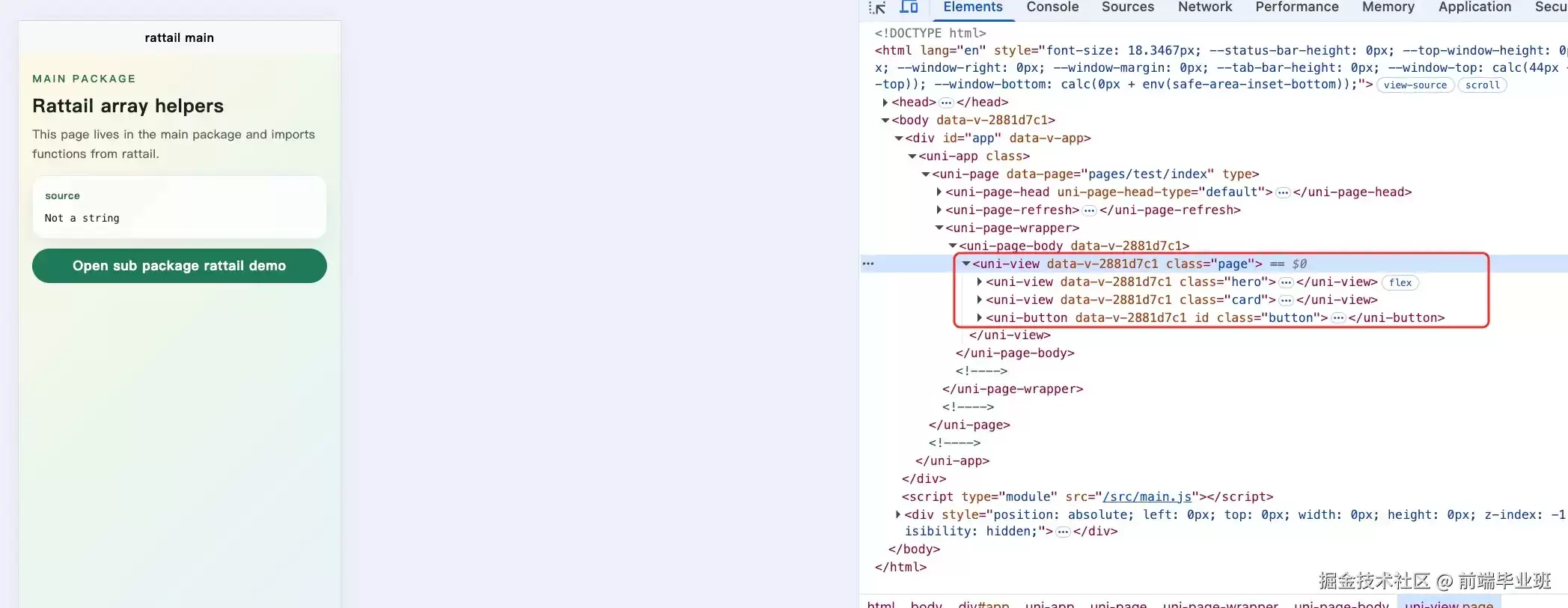
测试代码
下面提供一段测试模板代码,方便大家复现该问题并验证解决方案:
<template>
  <view class="page">
    <view class="hero">
      <text class="eyebrow">Main packagetext>
      <text class="title">Rattail array helperstext>
      <text class="desc">
        This page lives in the main package and imports functions from rattail.
      text>
    view>    <view class="card">
      <text class="label">sourcetext>
      <text class="code">{{ sourceText }}text>
    view>    <button class="button" @click="goSubPackage">
      Open sub package rattail demo
    button>
  view>
template><script setup>
import { computed } from 'vue'
import { isString } from 'rattail'const numbers = [1, 2, 2, 3, 4, 4, 5, 6]const sourceText = computed(() => isString(numbers) ? 'A string' : 'Not a string')function goSubPackage() {
  uni.na vigateTo({
    url: '/pages/sub/rattail/index',
  })
}
script>// 这里并没有添加 scoped
<style>
.page {
  min-height: 100vh;
  padding: 40rpx 32rpx;
  background: linear-gradient(135deg, #fff7e6 0%, #e9f7ef 48%, #e8f1ff 100%);
  box-sizing: border-box;
}.hero {
  display: flex;
  flex-direction: column;
  gap: 14rpx;
  margin-bottom: 28rpx;
}.eyebrow {
  color: #2f6f55;
  font-size: 24rpx;
  font-weight: 700;
  letter-spacing: 4rpx;
  text-transform: uppercase;
}.title {
  color: #16231e;
  font-size: 44rpx;
  font-weight: 800;
}.desc {
  color: #52615b;
  font-size: 28rpx;
  line-height: 1.6;
}.card {
  padding: 28rpx;
  margin-bottom: 22rpx;
  border: 2rpx solid rgba(22, 35, 30, 0.08);
  border-radius: 28rpx;
  background: rgba(255, 255, 255, 0.75);
  box-shadow: 0 18rpx 40rpx rgba(47, 111, 85, 0.1);
}.label {
  display: block;
  margin-bottom: 14rpx;
  color: #2f6f55;
  font-size: 24rpx;
  font-weight: 700;
}.code {
  color: #16231e;
  font-family: Menlo, Consolas, monospace;
  font-size: 24rpx;
  line-height: 1.6;
  white-space: pre-wrap;
}.button {
  margin-top: 18rpx;
  color: #ffffff;
  background: #1f7a5a;
  border-radius: 999rpx;
  font-weight: 700;
}
style>
请注意,这段代码的