OpenAPI 接口规范
OpenAPI 到底是什么?简单来说,就是描述 HTTP API 的一套标准方式。今天就来梳理一下 OpenAPI 规范里那些绕不开的核心要点。
OpenAPI 版本号规范
版本号遵循 major.minor.patch 的格式,例如 3.1.2。比较简单,这里不多展开:
- major:定义大版本迭代
- minor:定义小功能变更
- patch:定义小版本内的修补
OpenAPI 格式规范
支持 JSON 或 YAML 两种格式,字段区分大小写。下面分别给出示例,便于对照。
JSON 示例
{"title": "Sample Pet Store App","summary": "A pet store manager.","description": "This is a sample server for a pet store.","termsOfService": "https://example.com/terms/","contact": {"name": "API Support","url": "https://www.example.com/support","email": "support@example.com"},"license": {"name": "Apache 2.0","url": "https://www.apache.org/licenses/LICENSE-2.0.html"},"version": "1.0.1"}
YAML 示例
title: Sample Pet Store Appsummary: A pet store manager.description: This is a sample server for a pet store.termsOfService: https://example.com/terms/contact:name: API Supporturl: https://www.example.com/supportemail: support@example.comlicense:name: Apache 2.0url: https://www.apache.org/licenses/LICENSE-2.0.htmlversion: 1.0.1
OpenAPI 文档结构规范
文档可以是单个文件,也可以拆分成多个文件——具体看团队习惯。如果拆分了,需要在 Reference Objects 和 Schema Object 中通过 $ref 关键字进行引用。命名方面,建议统一叫 openapi.json 或 openapi.yaml,简单明了。
OpenAPI 数据类型规范
数据类型必须符合 JSON Schema Specification Draft 2020-12 的规范。下面是一份常用的类型对照表:
JSON Schema 规范地址:https://datatracker.ietf.org/doc/html/draft-bhutton-json-schema-00#section-4.2.1
| type | format | comments |
|---|---|---|
| integer | int32 | signed 32 bits |
| integer | int64 | signed 64 bits (a.k.a long) |
| number | float | |
| number | double | |
| string | password | A hint to UIs to obscure input. |
OpenAPI 富文本格式规范
description 字段支持 CommonMark markdown 格式,所以在富文本使用时,请务必按照 CommonMark 标准来写。
OpenAPI 对象
这部分是最核心的内容,逐个拆解 OpenAPI 文档中的关键对象。
Info Object
描述 API 的元数据。
{"title": "Sample Pet Store App","summary": "A pet store manager.","description": "This is a sample server for a pet store.","termsOfService": "https://example.com/terms/","contact": {"name": "API Support","url": "https://www.example.com/support","email": "support@example.com"},"license": {"name": "Apache 2.0","url": "https://www.apache.org/licenses/LICENSE-2.0.html"},"version": "1.0.1"}
Contact Object
API 的联系方式。
{"name": "API Support","url": "https://www.example.com/support","email": "support@example.com"}
Server Object
定义 API 的服务地址。可以只配一个:
{"url": "https://development.gigantic-server.com/v1","description": "Development server"}
也可以配多个环境:
{"servers": [{"url": "https://development.gigantic-server.com/v1","description": "Development server"},{"url": "https://staging.gigantic-server.com/v1","description": "Staging server"},{"url": "https://api.gigantic-server.com/v1","description": "Production server"}]}
Components Object
定义可复用的组件,比如公共的 Schema、参数、响应、安全方案等。
"components": {"schemas": {"GeneralError": {"type": "object","properties": {"code": {"type": "integer","format": "int32"},"message": {"type": "string"}}},"Category": {"type": "object","properties": {"id": {"type": "integer","format": "int64"},"name": {"type": "string"}}},"Tag": {"type": "object","properties": {"id": {"type": "integer","format": "int64"},"name": {"type": "string"}}}},"parameters": {"skipParam": {"name": "skip","in": "query","description": "number of items to skip","required": true,"schema": {"type": "integer","format": "int32"}},"limitParam": {"name": "limit","in": "query","description": "max records to return","required": true,"schema" : {"type": "integer","format": "int32"}}},"responses": {"NotFound": {"description": "Entity not found."},"IllegalInput": {"description": "Illegal input for operation."},"GeneralError": {"description": "General Error","content": {"application/json": {"schema": {"$ref": "#/components/schemas/GeneralError"}}}}},"securitySchemes": {"api_key": {"type": "apiKey","name": "api_key","in": "header"},"petstore_auth": {"type": "oauth2","flows": {"implicit": {"authorizationUrl": "https://example.org/api/oauth/dialog","scopes": {"write:pets": "modify pets in your account","read:pets": "read your pets"}}}}}}
Paths Object
定义所有 API 的 URL 路径及对应操作。
{"/pets": {"get": {"description": "Returns all pets from the system that the user has access to","responses": {"200": {"description": "A list of pets.","content": {"application/json": {"schema": {"type": "array","items": {"$ref": "#/components/schemas/pet"}}}}}}}}}
Path Item Object
单个路径上可用操作的详细定义。
{"get": {"description": "Returns pets based on ID","summary": "Find pets by ID","operationId": "getPetsById","responses": {"200": {"description": "pet response","content": {"*/*": {"schema": {"type": "array","items": {"$ref": "#/components/schemas/Pet"}}}}},"default": {"description": "error payload","content": {"text/html": {"schema": {"$ref": "#/components/schemas/ErrorModel"}}}}}},"parameters": [{"name": "id","in": "path","description": "ID of pet to use","required": true,"schema": {"type": "array","items": {"type": "string"}},"style": "simple"}]}
Operation Object
定义路径上单个 API 操作(如 GET、POST 等)。
{"tags": ["pet"],"summary": "Updates a pet in the store with form data","operationId": "updatePetWithForm","parameters": [{"name": "petId","in": "path","description": "ID of pet that needs to be updated","required": true,"schema": {"type": "string"}}],"requestBody": {"content": {"application/x-www-form-urlencoded": {"schema": {"type": "object","properties": {"name": { "description": "Updated name of the pet","type": "string"},"status": {"description": "Updated status of the pet","type": "string"}},"required": ["status"] }}}},"responses": {"200": {"description": "Pet updated.","content": {"application/json": {},"application/xml": {}}},"405": {"description": "Method Not Allowed","content": {"application/json": {},"application/xml": {}}}},"security": [{"petstore_auth": ["write:pets","read:pets"]}]}
External Documentation Object
提供扩展的文档资源。
{"description": "Find more info here","url": "https://example.com"}
Parameter Object
定义接口参数。
{"name": "token","in": "header","description": "token to be passed as a header","required": true,"schema": {"type": "array","items": {"type": "integer","format": "int64"}},"style": "simple"}
Request Body Object
请求体定义。
{"description": "user to add to the system","content": {"application/json": {"schema": {"$ref": "#/components/schemas/User"},"examples": {"user" : {"summary": "User Example", "externalValue": "https://foo.bar/examples/user-example.json"} }},"application/xml": {"schema": {"$ref": "#/components/schemas/User"},"examples": {"user" : {"summary": "User example in XML","externalValue": "https://foo.bar/examples/user-example.xml"}}},"text/plain": {"examples": {"user" : {"summary": "User example in Plain text","externalValue": "https://foo.bar/examples/user-example.txt" }} },"*/*": {"examples": {"user" : {"summary": "User example in other format","externalValue": "https://foo.bar/examples/user-example.whatever"}}}}}
Responses Object
定义 API 返回响应。
{"200": {"description": "a pet to be returned","content": {"application/json": {"schema": {"$ref": "#/components/schemas/Pet"}}}},"default": {"description": "Unexpected error","content": {"application/json": {"schema": {"$ref": "#/components/schemas/ErrorModel"}}}}}
Header Object
定义自定义请求头。
{"description": "The number of allowed requests in the current period","schema": {"type": "integer"}}
使用 Apifox 管理 OpenAPI API
搞清楚规范之后,落地管理就成了下一个关键问题。Apifox 是一款集 API 文档、测试、Mock 于一体的协作工具,用来管理 OpenAPI 项目再合适不过。
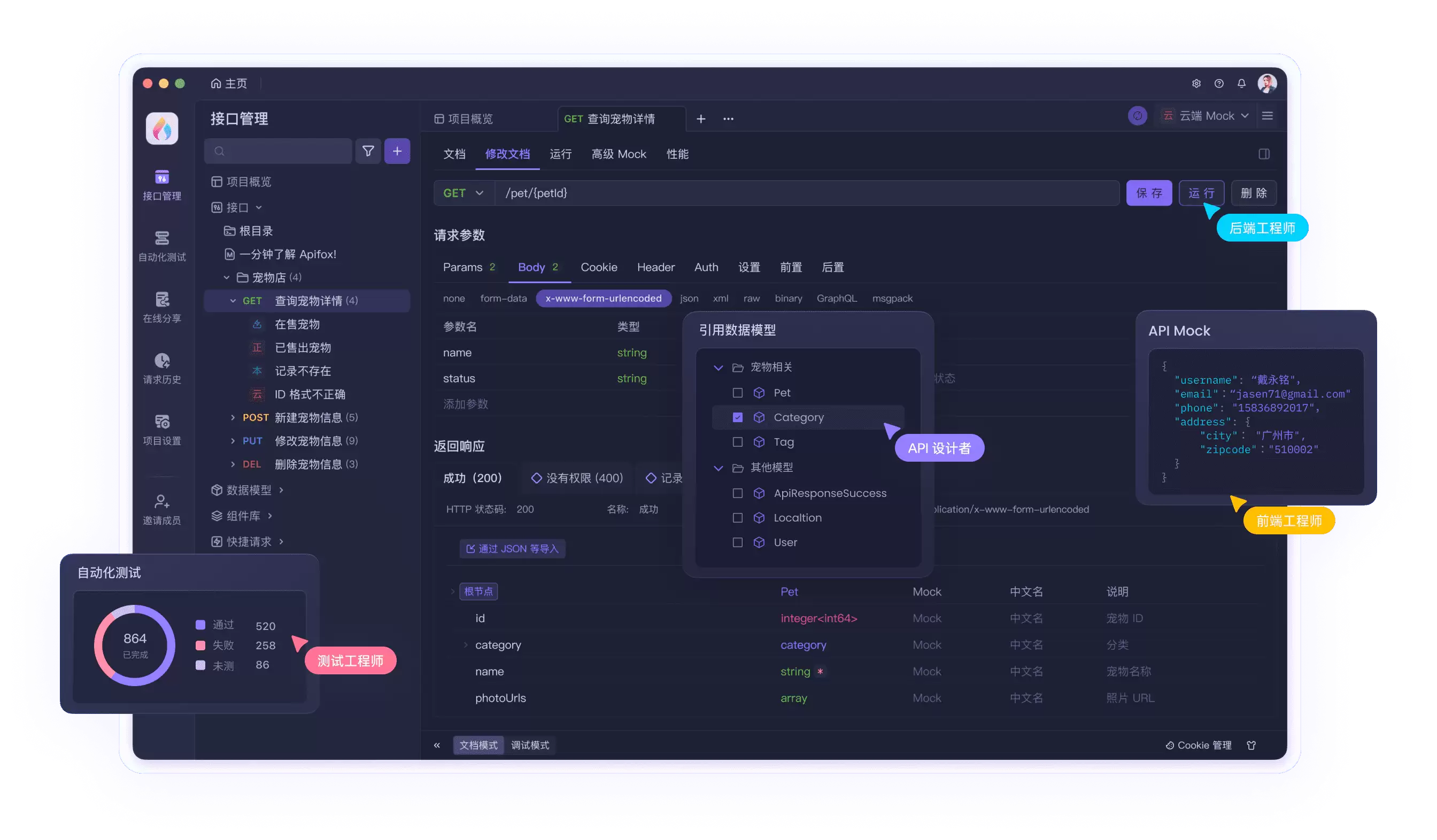
Apifox 的 API 管理
功能覆盖得很全,包括接口数管理、operationID、Mock、请求定义与示例、响应定义与示例,以及唯一标识等。
- 接口数管理
- operationID
- Mock 功能
- 请求定义、请求示例
- 响应定义、响应示例
- 唯一标识
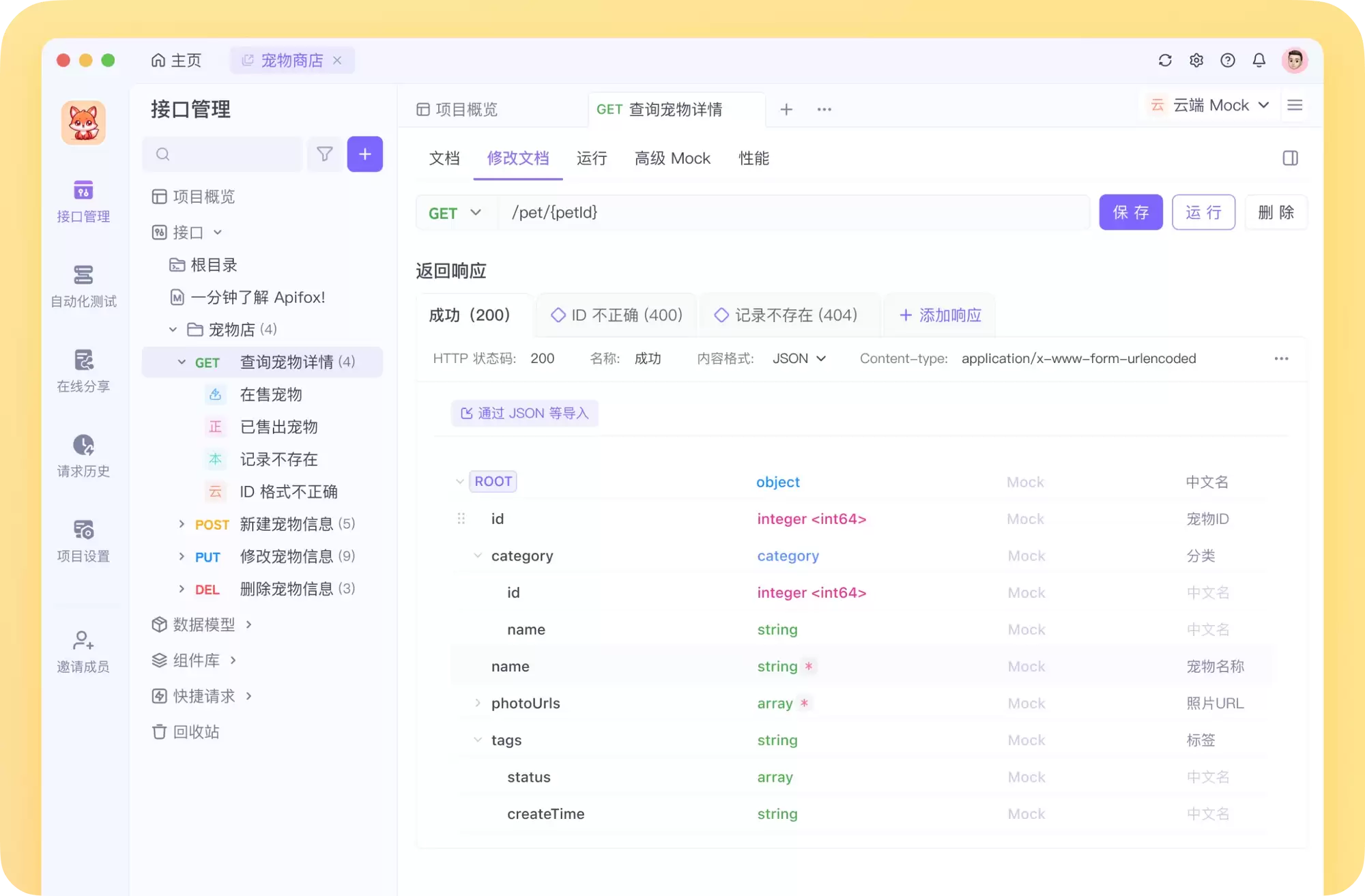
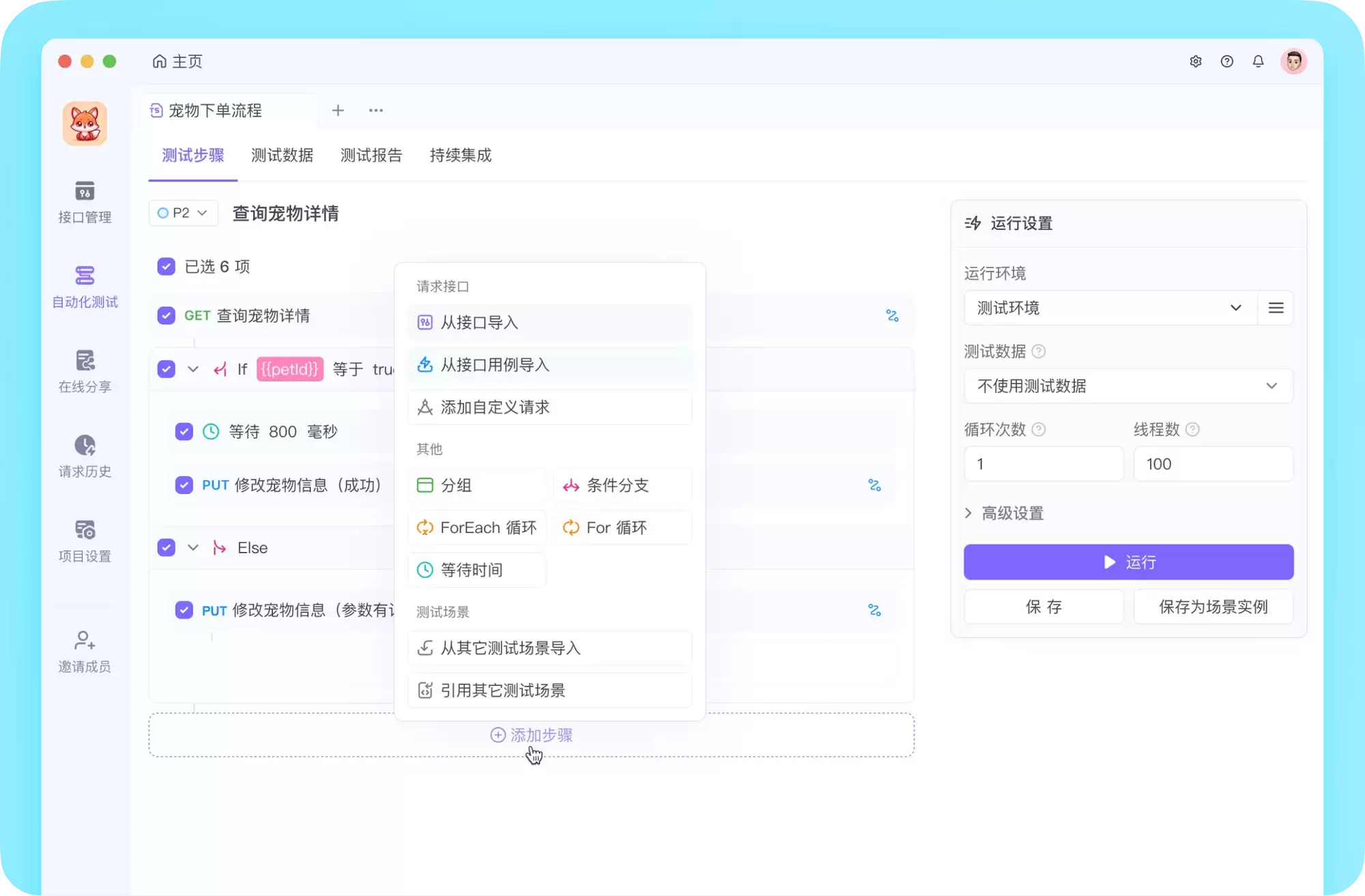
Apifox 的自动化测试
自动化测试同样能打,支持:
- 测试用例:可测多个接口或接口用例
- 测试套件:可组合多个测试用例
- 支持设置循环数、延迟、环境、线程数等参数
- 支持导出测试报告
- 支持查看单个接口的测试结果及详细参数
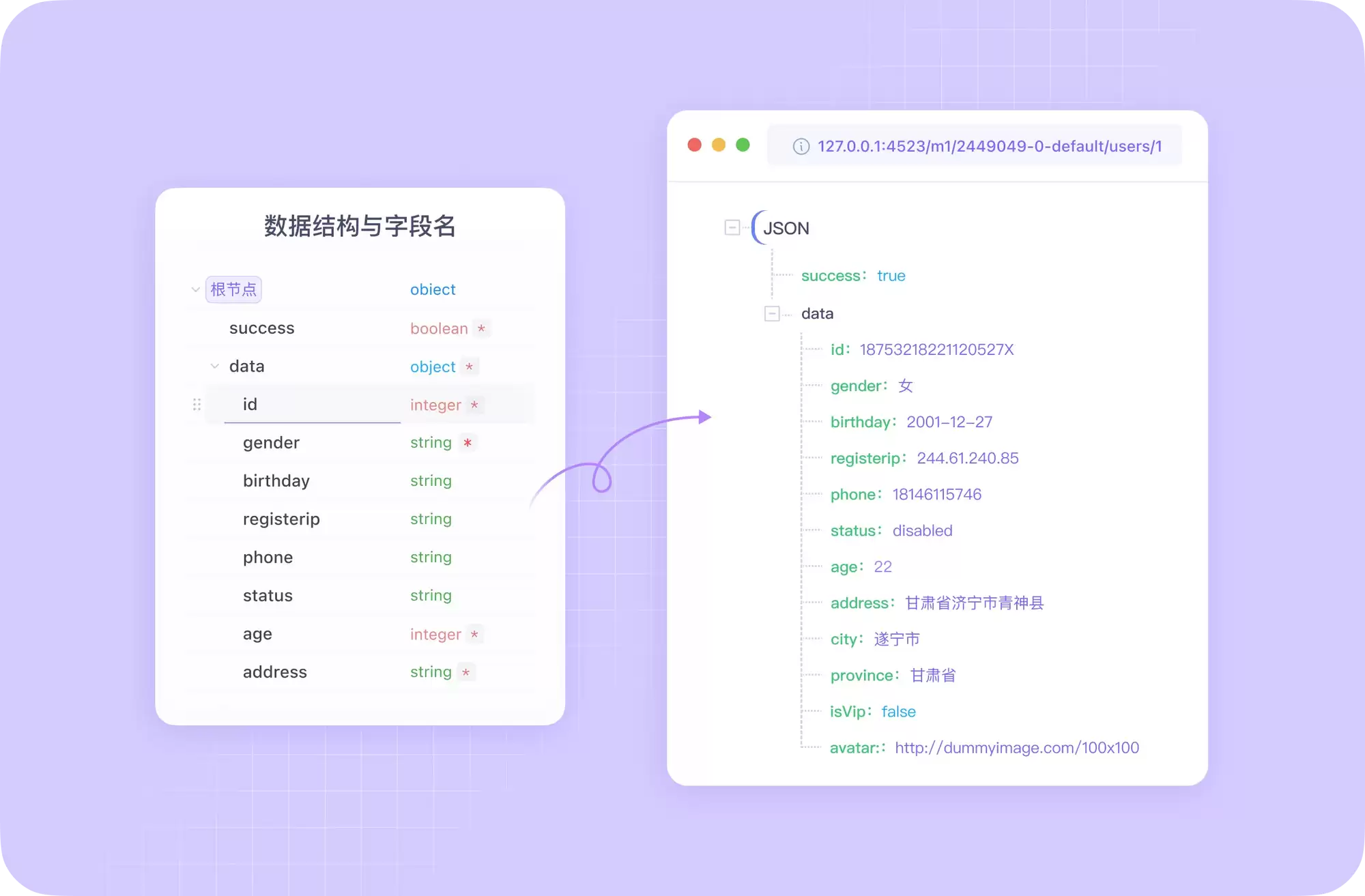
Mock 功能
定义完接口响应之后,直接通过本地 Mock 就能得到模拟数据。
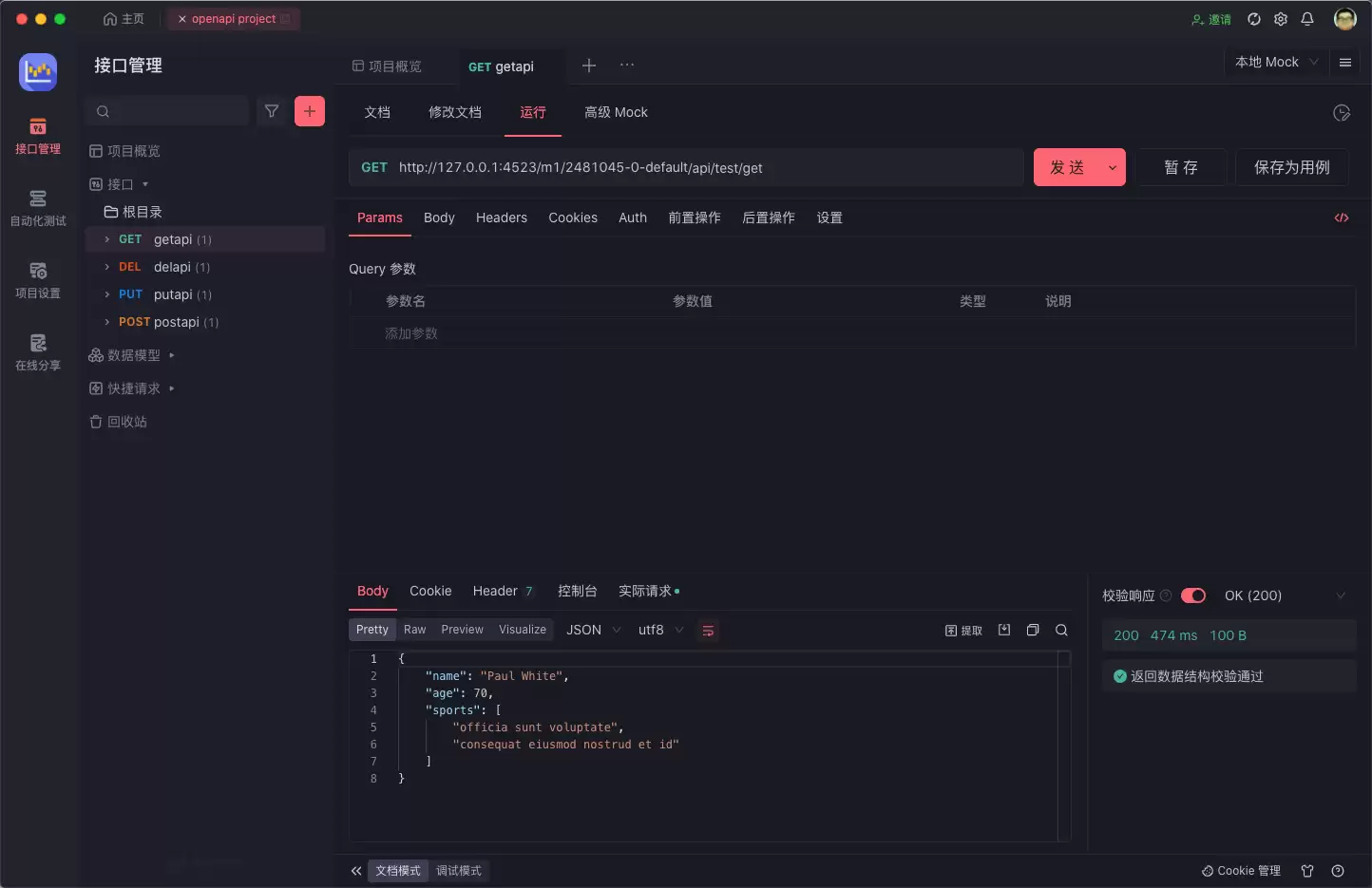
点击发送即可获取 Mock 数据:
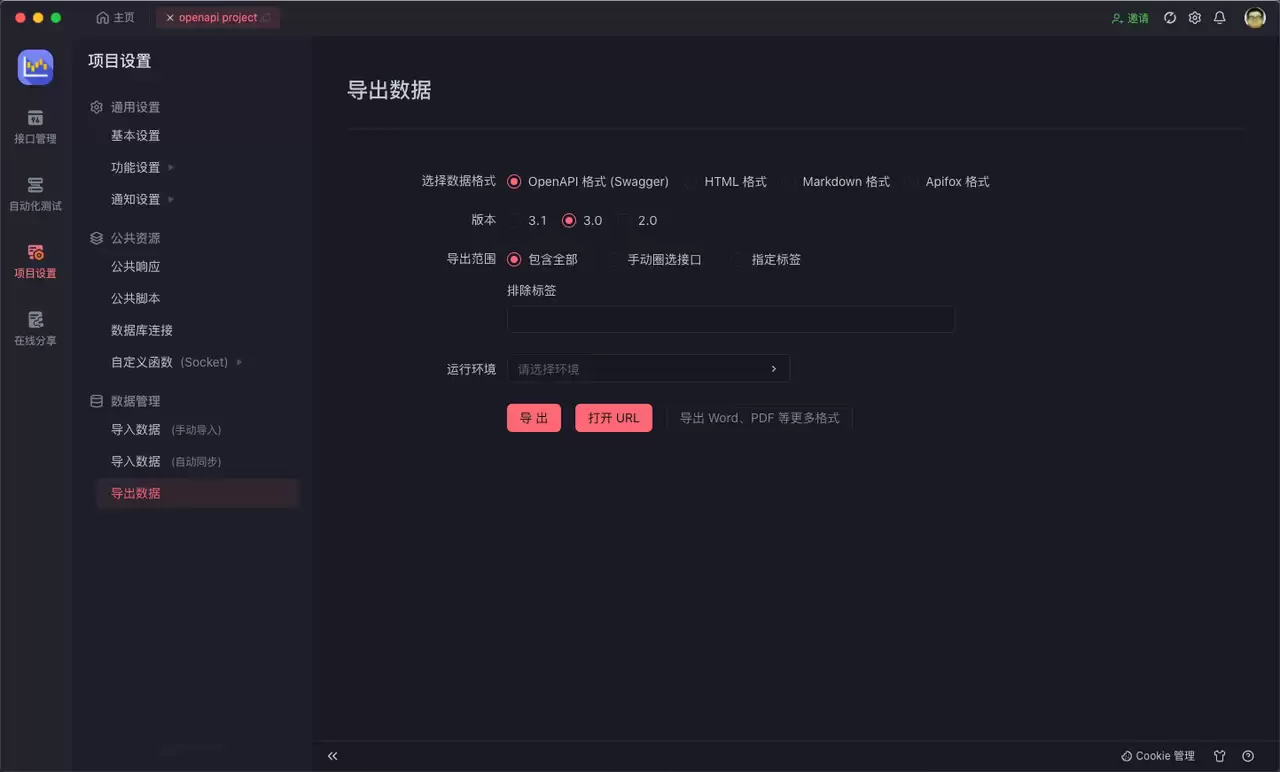
导出导入 OpenAPI
要是做 API 项目迁移,导入导出功能能让迁移成本降到最低。

关于 Apifox
- 集成了 API 文档、调试、Mock、自动化测试的一体化协作平台
- 具备更先进的 API 设计/开发/测试能力
- 可以理解为:Apifox = Postman + Swagger + Mock + JMeter
完全免费,值得试试:在线使用 Apifox