
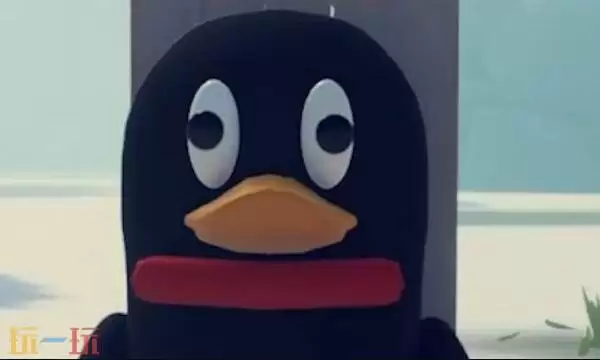
在《逃离鸭科夫企鹅》的捏脸界面左下角,您会找到一个应用剪贴板功能,里面存放着预设的角色数据。只需直接点击即可导入这些数据,接下来就为大家分享这套精心调校的捏脸配置!
全套捏脸数据>>>点击前往
《逃离鸭科夫企鹅》捏脸代码完整分享
一、效果展示
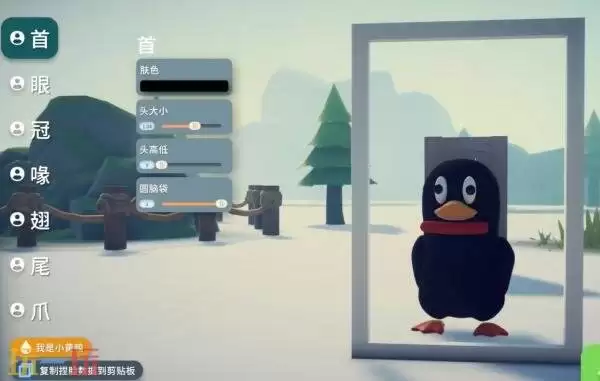
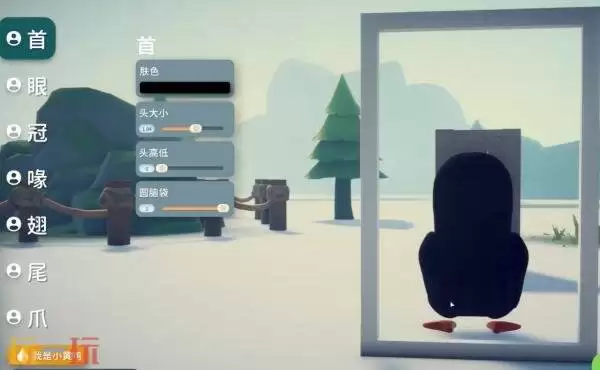
二、配置代码
{"savedSetting":false,"headSetting":{"mainColor":{"r":0,"g":0,"b":0,"a":1},"headScaleOffset":0.044,"foreheadHeight":0,"foreheadRound":1},"hairID":0,"hairInfo":{"radius":0,"color":{"r":0,"g":0,"b":0,"a":1},"height":0,"heightOffset":0,"scale":1,"twist":0,"distanceAngle":0,"leftRightAngle":0},"eyeID":2,"eyeInfo":{"radius":0.23,"color":{"r":0,"g":0,"b":0,"a":1},"height":0.119,"heightOffset":0,"scale":1.784,"twist":-90,"distanceAngle":20.518,"leftRightAngle":0},"eyebrowID":8,"eyebrowInfo":{"radius":0.23,"color":{"r":0.898,"g":0.11,"b":0.137,"a":1},"height":-0.24,"heightOffset":0.119,"scale":4,"twist":-1.97,"distanceAngle":13.743,"leftRightAngle":0},"mouthID":2,"mouthInfo":{"radius":0.23,"color":{"r":0.976,"g":0.659,"b":0.145,"a":1},"height":0.004,"heightOffset":0,"scale":0.984,"twist":0,"distanceAngle":0,"leftRightAngle":0},"tailID":0,"tailInfo":{"radius":0,"color":{"r":1,"g":0.735,"b":0.231,"a":1},"height":0,"heightOffset":0,"scale":1,"twist":0,"distanceAngle":0,"leftRightAngle":0},"footID":0,"footInfo":{"radius":0,"color":{"r":1,"g":0.403,"b":0.203,"a":1},"height":0,"heightOffset":0,"scale":1,"twist":0,"distanceAngle":0,"leftRightAngle":0},"wingID":0,"wingInfo":{"radius":0,"color":{"r":0,"g":0,"b":0,"a":1},"height":0,"heightOffset":0,"scale":0.532,"twist":0,"distanceAngle":0,"leftRightAngle":0}}
三、使用指南
进入游戏后,在捏脸界面的左下角可以看到应用剪贴板选项,其中已存储了预设的角色数据。直接点击该区域即可完成数据导入。
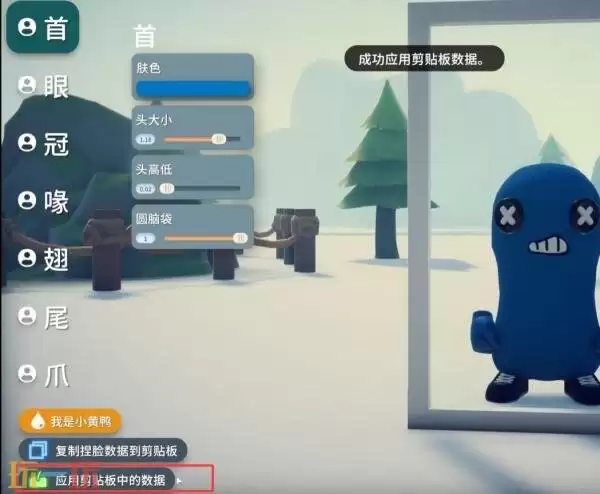
成功应用后会立即显示“剪贴板数据已加载”的提示。此时您会惊喜地发现,当前的企鹅造型已经变成了之前保存的个性化形象。


